
UIAlertControllerでアラートを表示する
UIAlertControllerを使ってアラートを出すサンプルです。
UIAlertControllerStyle.alert を UIAlertControllerStyle.actionSheet にするとニュッと下から出るタイプのアラートになります。
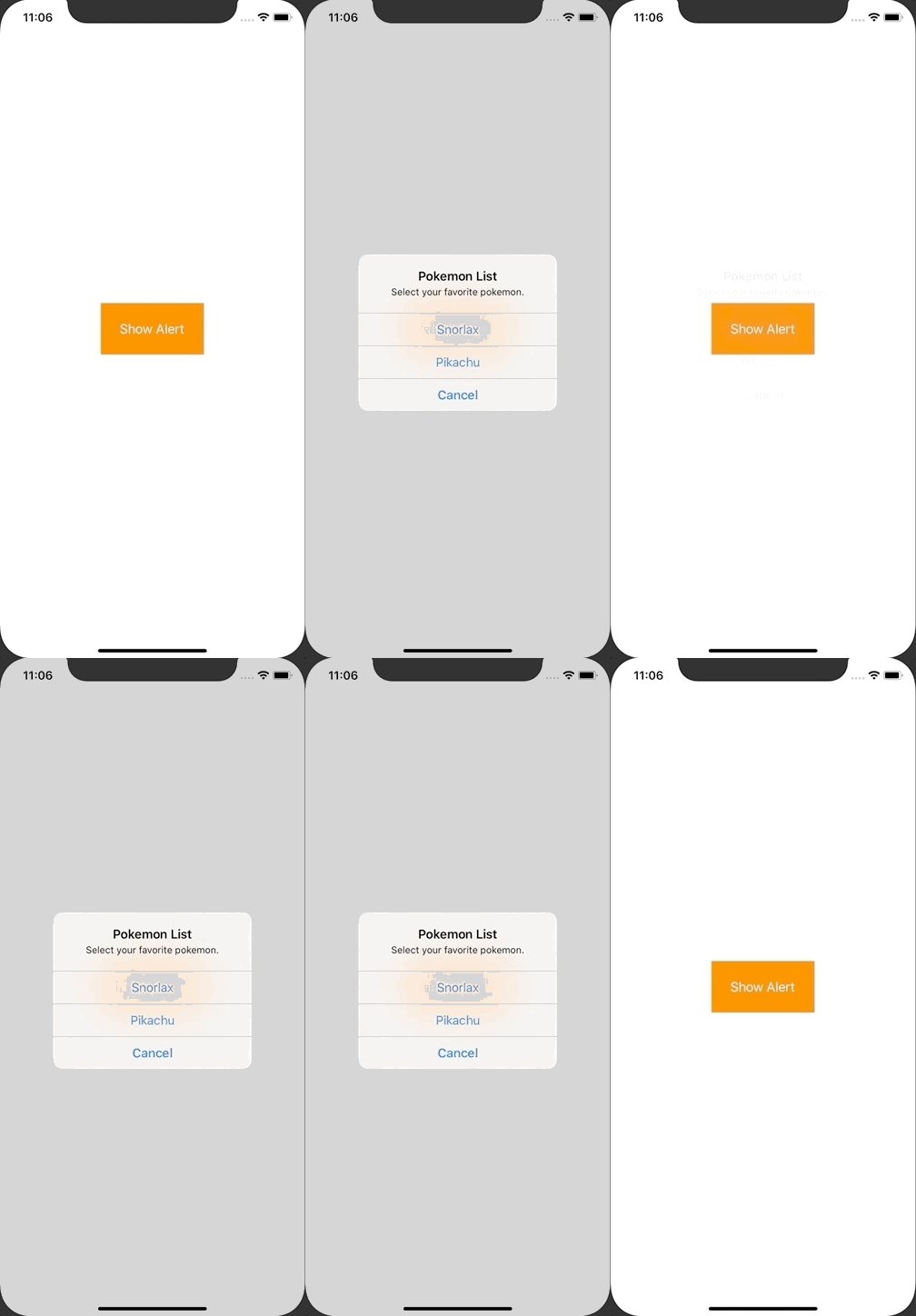
ViewController.swift
import UIKit

class ViewController: UIViewController {

    override func viewDidLoad() {
        super.viewDidLoad()

        view.backgroundColor = .white

        // alert button
        let showAlertButton = UIButton()
        showAlertButton.frame.size = CGSize(width: 140, height: 70)
        showAlertButton.center = view.center
        showAlertButton.backgroundColor = UIColor.orange
        showAlertButton.setTitle("Show Alert", for: UIControl.State.normal)
        showAlertButton.setTitleColor(UIColor.white, for: UIControl.State.normal)
        showAlertButton.addTarget(self, action: #selector(showAlert(sender:)), for:.touchUpInside)
        view.addSubview(showAlertButton)
    }

    @objc func showAlert(sender: UIButton){
        let alertController = UIAlertController(title: "Pokemon List", message: "Select your favorite pokemon.", preferredStyle: UIAlertController.Style.alert)

        let shorlaxAction = UIAlertAction(title: "Snorlax", style: UIAlertAction.Style.default, handler: { action in
            print("Snorlax was selected")
        })
        alertController.addAction(shorlaxAction)

        let pikachuAction = UIAlertAction(title: "Pikachu", style: UIAlertAction.Style.default, handler: { action in
            print("Pikachu was selected")
        })
        alertController.addAction(pikachuAction)

        let cancelAction = UIAlertAction(title: "Cancel", style: UIAlertAction.Style.cancel, handler: { action in
            print("Cancel was selectd")
        })
        alertController.addAction(cancelAction)

        present(alertController, animated: true, completion: nil)
    }
}