
SwiftUIでPDFを表示する
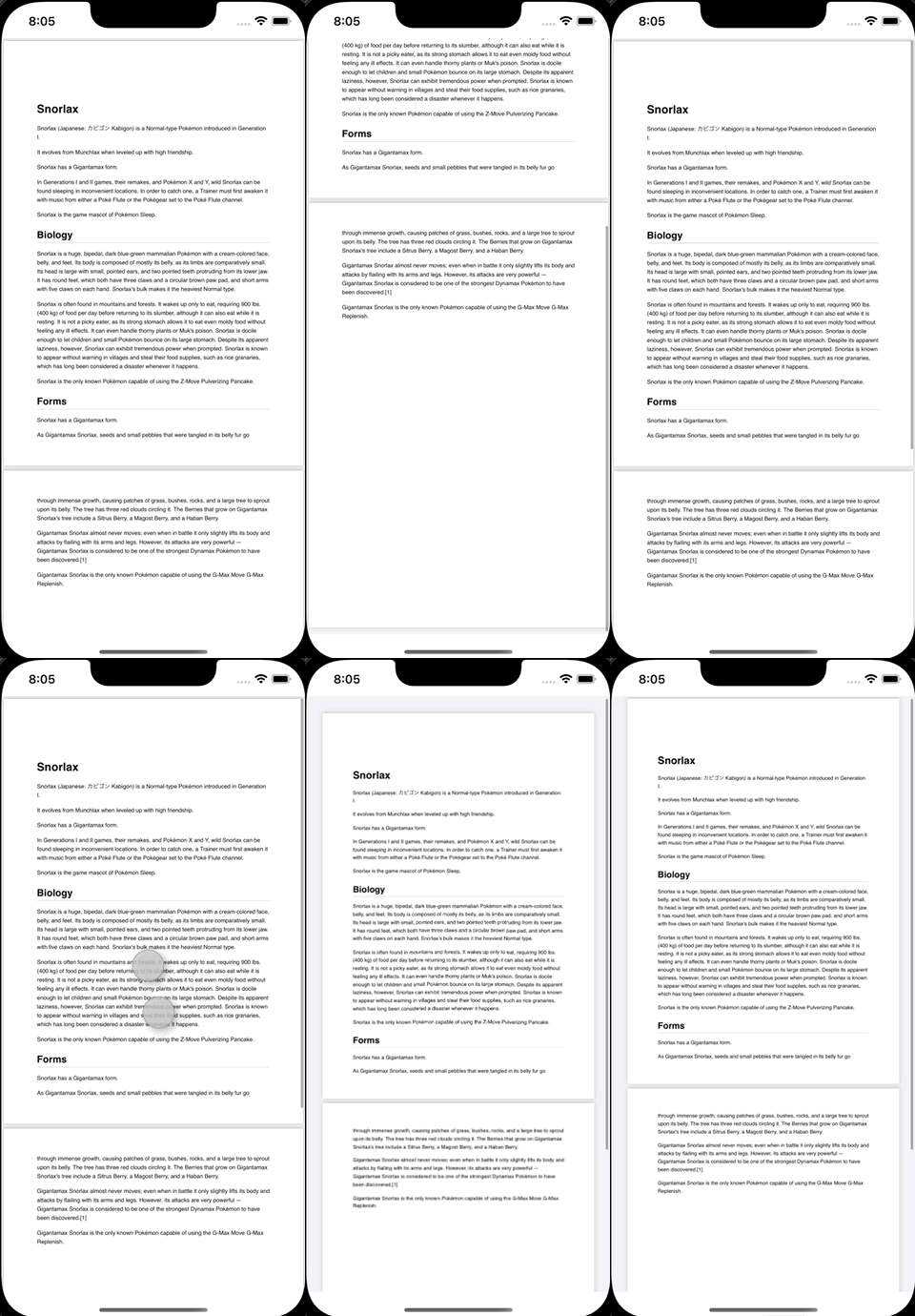
SwiftUIでPDFを表示する方法です。
PDFView を利用して snorlax.pdf を表示させています。
index.html
<!DOCTYPE html>
<html lang="ja">
<head>
    <meta charset="UTF-8">
    <title>Title</title>
    <script type="text/javascript" src="script.js"></script>
</head>
<body>
  <canvas width="300" height="300" style="border:2px solid; border-color:#666666;">
    キャンバスの表示内容を説明する代替テキストです。
  </canvas>
  <input id="image" type="file" accept="image/*" onchange="setImage(this);" onclick="this.value = '';" />
</body>
</html>
script.js
function setImage(target) {
    clearCanvas();
    draw();
};

function clearCanvas() {
    const canvas = document.querySelector('canvas');
    const ctx = canvas.getContext('2d');
    ctx.clearRect(0, 0, canvas.width, canvas.height);
}

function draw() {
    const canvas = document.querySelector('canvas');
    const ctx = canvas.getContext('2d');

    // 画像
    const filePath = document.getElementById("image").files[0];
    let img = new Image();
    if (filePath == null) {
        return;
    } else {
        img.src = URL.createObjectURL(filePath);
    }

    img.onload = function() {
        ctx.drawImage(img, 50, 50, 200, 200);
    }
}