
SwiftUIでテーブルのようなデータを表示する
SwiftUIでテーブルのようなデータを表示する法です。
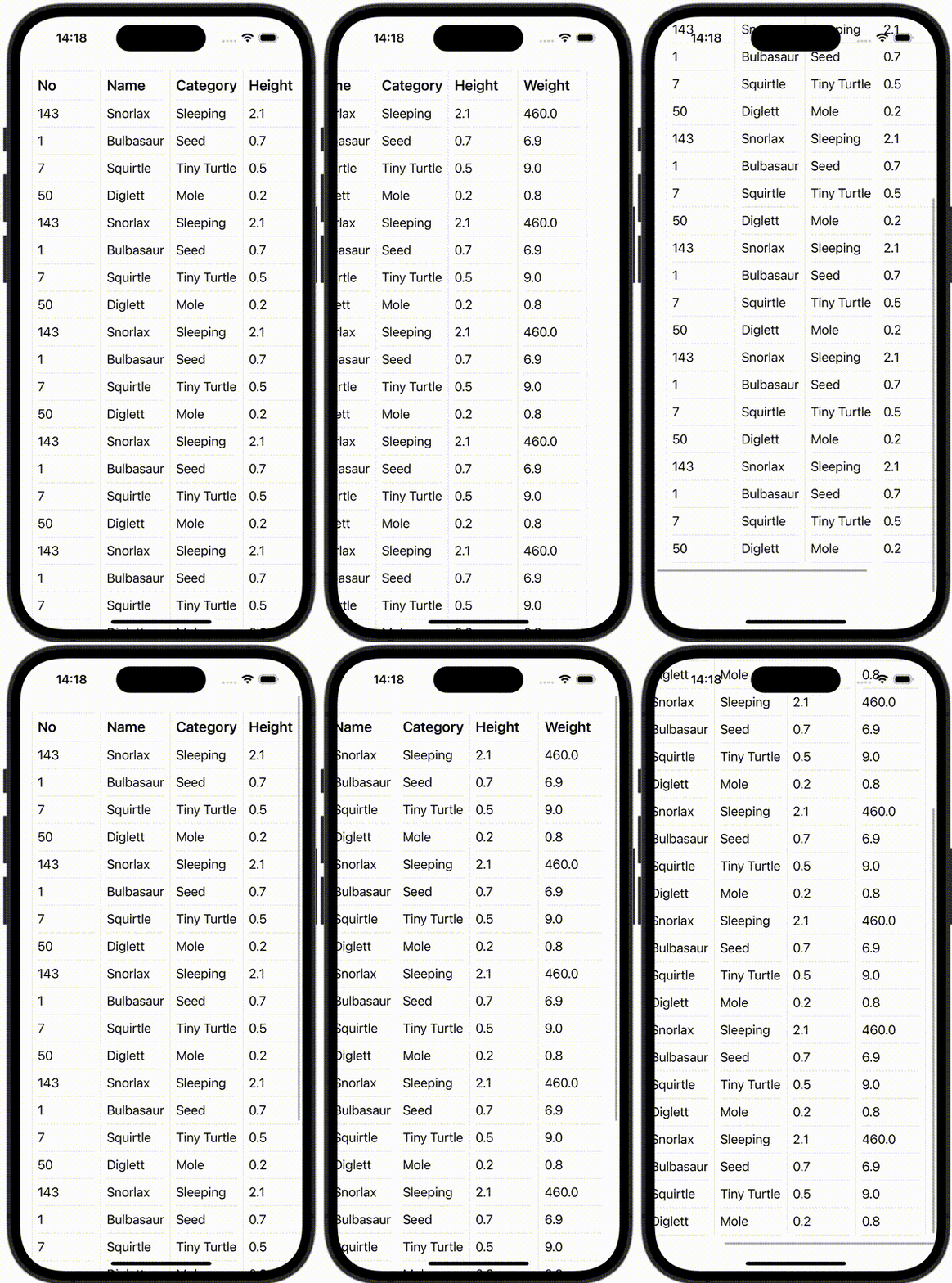
ContentView.swift
import SwiftUI

struct ContentView: View {
    let pokemonData = [
        Column(
            title: "No",
            rows: ["143", "1", "7", "50", "143", "1", "7", "50", "143", "1", "7", "50", "143", "1", "7", "50", "143", "1", "7", "50", "143", "1", "7", "50"]
        ),
        Column(
            title: "Name",
            rows: ["Snorlax", "Bulbasaur", "Squirtle", "Diglett", "Snorlax", "Bulbasaur", "Squirtle", "Diglett", "Snorlax", "Bulbasaur", "Squirtle", "Diglett", "Snorlax", "Bulbasaur", "Squirtle", "Diglett", "Snorlax", "Bulbasaur", "Squirtle", "Diglett", "Snorlax", "Bulbasaur", "Squirtle", "Diglett"]
        ),
        Column(
            title: "Category",
            rows: ["Sleeping", "Seed", "Tiny Turtle", "Mole", "Sleeping", "Seed", "Tiny Turtle", "Mole", "Sleeping", "Seed", "Tiny Turtle", "Mole", "Sleeping", "Seed", "Tiny Turtle", "Mole", "Sleeping", "Seed", "Tiny Turtle", "Mole", "Sleeping", "Seed", "Tiny Turtle", "Mole"]
        ),
        Column(
            title: "Height",
            rows: ["2.1", "0.7", "0.5", "0.2", "2.1", "0.7", "0.5", "0.2", "2.1", "0.7", "0.5", "0.2", "2.1", "0.7", "0.5", "0.2", "2.1", "0.7", "0.5", "0.2", "2.1", "0.7", "0.5", "0.2"]
        ),
        Column(
            title: "Weight",
            rows: ["460.0", "6.9", "9.0", "0.8", "460.0", "6.9", "9.0", "0.8", "460.0", "6.9", "9.0", "0.8", "460.0", "6.9", "9.0", "0.8", "460.0", "6.9", "9.0", "0.8", "460.0", "6.9", "9.0", "0.8"]
        ),
    ]

    var body: some View {
        ScrollView {
            VStack {
                ScrollView(.horizontal) {
                    HStack(alignment: .top, spacing: 8) {
                        Divider()

                        ForEach(0..<pokemonData.count, id: \.self) { columnIndex in
                            VStack(alignment: .leading, spacing: 8) {
                                Divider()

                                Text(pokemonData[columnIndex].title)
                                    .font(Font.system(size: 20).bold())

                                Divider()

                                ForEach(0..<pokemonData[columnIndex].rows.count, id: \.self) { rowIndex in
                                    Text(pokemonData[columnIndex].rows[rowIndex])
                                        .font(Font.system(size: 18))
                                    Divider()
                                }
                            }
                            .frame(minWidth: 80)


                            Divider()
                        }
                    }
                    .padding()
                }
            }
        }
    }
}